
Website SEO is the work you do so that Google understands what you offer and shows you to the people searching for it. It starts with the right keywords, continues with clear content and a fast, properly built website, and is checked with measurement.
This website SEO guide shows you how to do SEO in simple steps. You do not need to be technical to get started. Below you will see the steps in the order they are worth doing, what you can do yourself and when it is worth asking for help.
SEO (Search Engine Optimization) is not a trick and it is not something you do once. It is a series of small, right decisions on your website, which together make Google trust you and visitors stay. The 7 steps below apply to every business, from a real estate agency to an online store, and they cover technical SEO and local SEO as well as content.
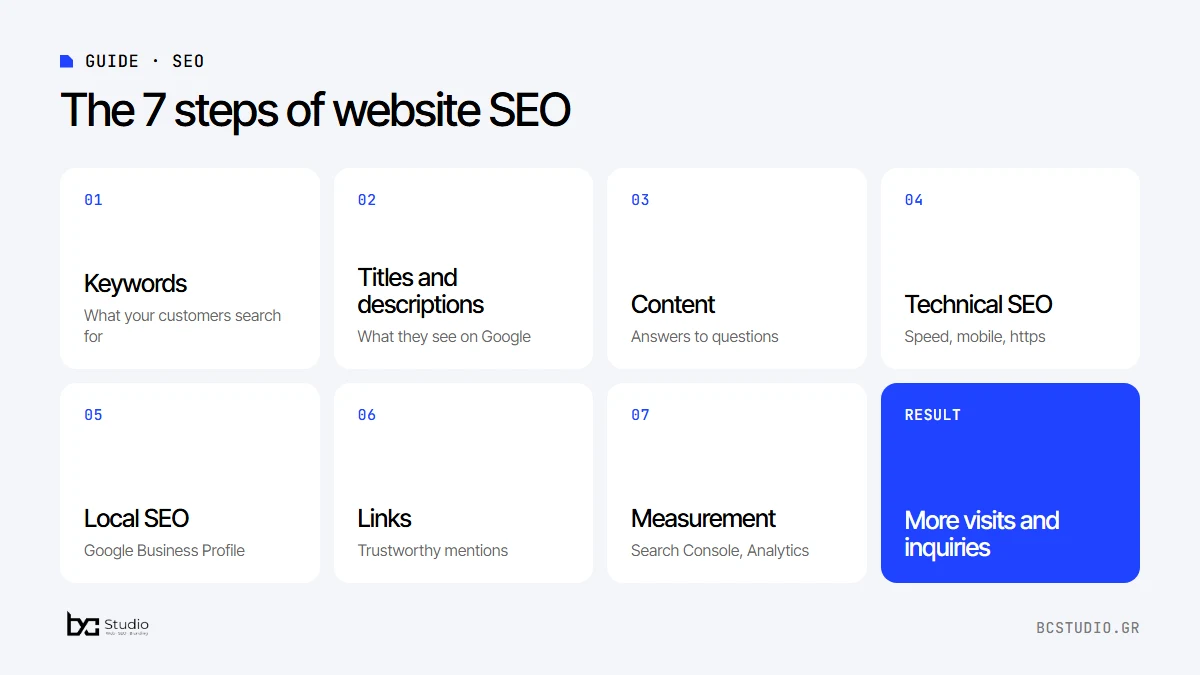
1. Find out what your customers search for
The first step in website SEO is to learn which words people use to search for what you offer. A plumber is not searched for as “plumbing installation services”, but as “plumber near me” or “water leak”. That difference decides whether they find you.
Every phrase also has a different intent. Some people look for information (“how to build a website”), some want to buy (“website price”) and some look for something nearby (“web design Athens”). Phrases with buying intent and local intent usually bring the most ready-to-buy customers.
- Write down your services on a piece of paper, and how a customer would describe them.
- See what Google suggests as you type and which questions appear below the results.
- Try the Google Keyword Planner to see how many people search for each phrase.
- Pick one main phrase per page. Do not try to fit everything on the same page.
- Look at what your competitors write in their titles.
2. Write proper titles and descriptions
The title and the description of each page are what the user sees in Google results. They must be clear and contain the main phrase, without being stuffed with words.
A generic title such as “Home” says nothing. A title such as “Website design from €400: fast and with SEO” says what you do, for whom and how much. That clarity increases clicks, even if your position does not change.
- Title: up to about 60 characters, with the main phrase near the start.
- Description: up to about 160 characters, with a clear benefit and an invitation to get in touch.
- One unique title and one description for every page.
- The main heading (H1) of the page should be about the same topic as the title Google sees.
3. Create content that answers questions
Google prefers pages that give a complete answer to what the user is searching for. Every service page should explain what you do, for whom, how you work and what it costs or how to ask for a quote.
- Use clear headings (H1 for the main title, H2 for the sections).
- Add a frequently asked questions section with the real questions of your customers.
- Link your pages to each other, so users and Google can easily find related topics.
- Add descriptive alt text to your images.
Google looks for pages that show experience and trustworthiness: real projects, names, contact details, clear prices or a way to get a quote. Write as you would speak to a customer, without stuffing the text with keywords. There is no magic word count: a service page usually needs a few hundred words to answer all the basic questions.
4. Take care of technical SEO
A beautiful website is not enough if it is slow or does not look right on mobile. Technical SEO is the part of SEO for small business that is easiest to get wrong, and it covers what the visitor does not see, but Google counts.
- It loads fast, especially on mobile.
- It has a security certificate (https).
- It has a sitemap and you have submitted it to Google Search Console.
- It has no broken links or duplicate pages.
- It has one single main URL per page (canonical).
- It loads images in the right size and a modern format, such as WebP.
- It has structured data (schema) for your business and your services.
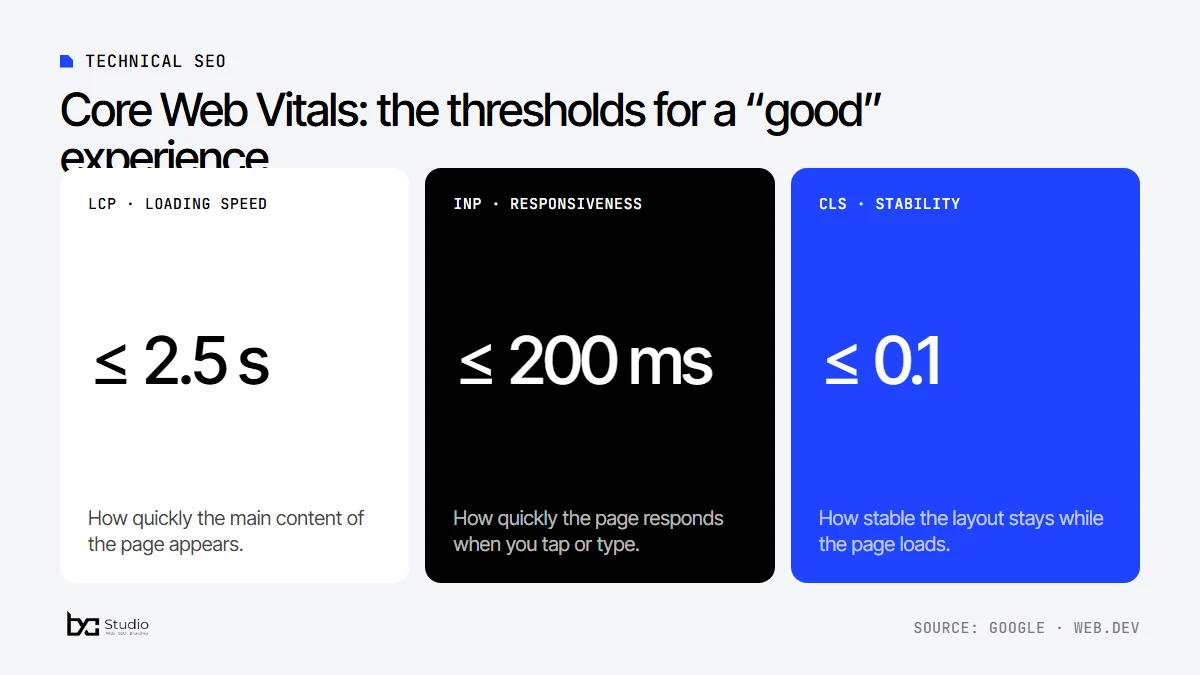
Google measures user experience with three indicators, the Core Web Vitals: how quickly the main content appears (LCP), how quickly the page responds (INP) and how stable the layout stays (CLS). You can see them for free in PageSpeed Insights and read the thresholds on web.dev.
5. Use local SEO
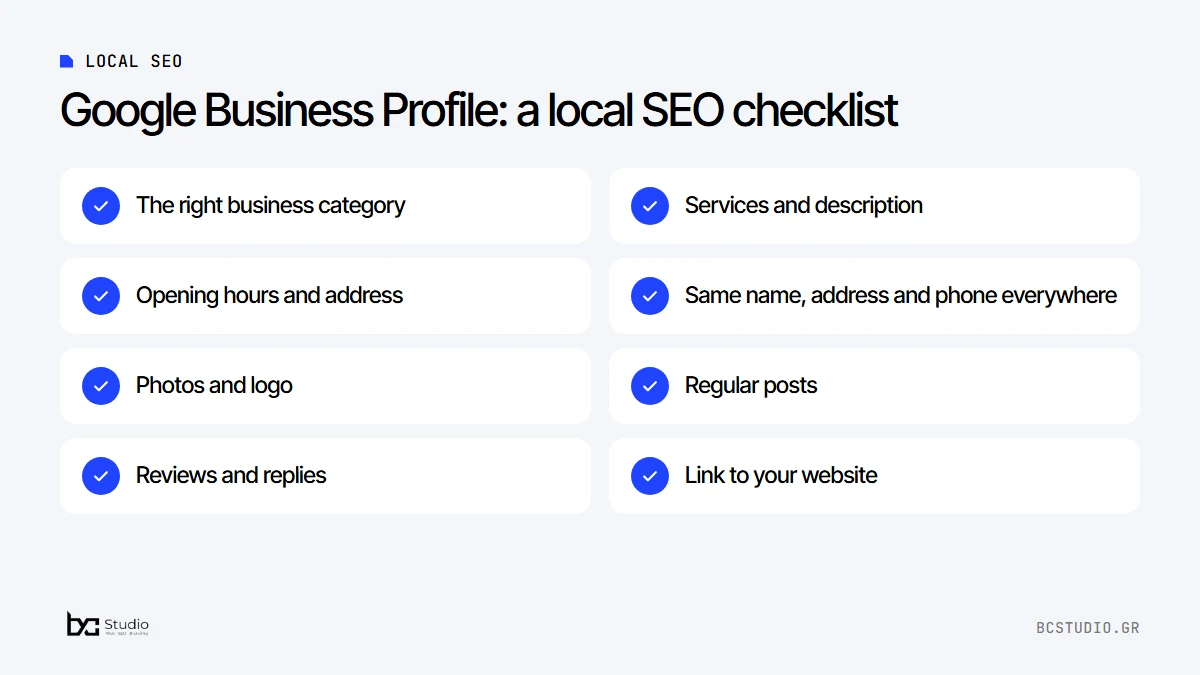
Local SEO is the fastest way to start with SEO for small business. If you serve a specific area, Google Business Profile is one of the most effective tools. Fill in the category, the services, the opening hours and the address correctly, upload photos and ask satisfied customers for reviews. Make sure the name, address and phone number are the same on your website and in your profile.
When someone searches for “hairdresser Vyronas” or “plumber near me”, Google shows the map with local businesses first. Proximity, reviews and the consistency of your details count there. The profile is free: you can start from the official Google Business Profile page.
6. Earn trustworthy links
When other trustworthy websites link to you, Google reads it as a sign of trust. Quality counts, not quantity. Avoid buying links and “packages” with hundreds of links: they violate Google’s guidelines and may harm your website.
- Ask partners and suppliers who already know you for a link.
- List your business in reliable directories and in your professional association.
- Publish content worth mentioning: a guide, a real example, a useful comparison.
7. Measure and improve
Connect your website to Google Search Console and Google Analytics from day one. In Search Console you see which searches you appear for and in which position. In Analytics you see how many visitors become inquiries.
- Every month, look at the impressions, clicks, click-through rate (CTR) and average position of your pages.
- See which pages are rising and which need work.
- Measure the inquiries (calls, forms) that come from search.
Give it time: SEO does not work in days. Changes usually take a few months to show, and the best way to stay on track is a short monthly report of what changed.
More topics for more mature SEO
Once the basics of technical SEO and local SEO are in place, four topics make the difference between a website that merely exists and one that inspires trust and climbs steadily.
Experience and trustworthiness (E-E-A-T)
Google describes the quality of a page with four elements: experience, expertise, authoritativeness and trustworthiness. It is not something you “add” to a page, but what algorithms and evaluators look for: pages from people who know the subject. Read what Google considers helpful content.
- Show who you are: an “About us” page with a name and contact details on every page.
- Show real projects, reviews and examples instead of general words.
- Be clear about prices, terms and your privacy policy.
- Update your content when your details change.
Internal links
Internal links lead visitors and Google from one page to another. The home page should lead to the main services, every service to the prices and related articles, and every article back to the service it relates to. Use descriptive link text, for example “WordPress web design” instead of “click here”, and avoid pages that are not linked from anywhere.
Images and alt text
Images help the visitor and can bring visits from image search. Give the file a descriptive name, write alt text that describes what the image shows (and not just keywords), and make sure it has the right size. A 3 MB image displayed at 400 pixels slows the page down for no reason.
SEO for online stores: categories and products
In an online store, the pages that bring in the most customers are usually the categories and the products. Write a unique description for every product instead of copying the supplier’s text, use clean URLs and add structured data for price and availability. If you are choosing a platform, see the comparison WooCommerce vs Shopify.
SEO and AI search
Google and other search tools increasingly show answer summaries, with references to their sources. For a business this does not change the basics of how to do SEO: pages that answer customers’ questions clearly and are organized with clear headings are more likely to be used as sources.
- Write a short, clear answer at the start of every page or article, and expand on it below.
- Add a frequently asked questions section with real customer questions.
- Give facts that can be checked, such as “from” prices, addresses and sources.
- Keep your business details up to date everywhere, from your website to your Google Business Profile.
Your first blog article: local SEO and technical SEO come first
If you decide to write articles, start from the three questions you hear most often from customers. Write a complete answer to each one, with examples from your own experience, and link the article to the matching service page. One good article that fully answers a question is worth more than ten short, generic texts.
Example: how a service page is built
Say you have a company that builds websites and you want to be found by people searching for “web design Athens”. The page that targets this phrase needs a title with the phrase and a benefit, a main heading (H1) on the same topic, and a first paragraph that explains in two sentences what you offer and to whom.
Then the page answers the customer’s questions in order: what the service includes, how you work, how much it costs or how to ask for a quote, which projects you have built and what the frequently asked questions are. It closes with a clear contact button. See such an example on our WordPress web design page.
Free tools you need
- Google Search Console: shows which searches you appear for, in which position and which pages have problems.
- Google Analytics: shows how many visitors arrive and what they do on your website.
- PageSpeed Insights: measures speed and Core Web Vitals.
- Google Business Profile: your business profile on the map and in the results.
- Google Trends: shows how interest in a topic changes over time.
The 6 most common website SEO mistakes
- Many services on one page. Every page needs one clear topic, otherwise Google does not know what to connect it to.
- Identical titles and descriptions. If many pages have the same title, they compete with each other.
- A slow website on mobile. Heavy images and many plugins make visitors leave before the page loads.
- Texts that exist everywhere. Copied or very generic content gives Google no reason to prefer you.
- No measurement. Without Search Console and Analytics you do not know what works and what does not.
- Rushing and “guaranteed” first places. SEO takes time, and anyone who promises a guaranteed first place is misleading you.
How to do SEO: a 90-day plan for a small business
If you are starting from zero, a simple three-month SEO plan is enough to put the right foundations in place.
- Days 1 to 30: foundations. Keyword research, new titles and descriptions on the main pages, connecting Search Console and Analytics, and completing your Google Business Profile.
- Days 31 to 60: content and technical work. New service pages where they are missing, a mobile speed check, internal links and fixing technical errors.
- Days 61 to 90: measurement and improvement. See which searches you appear for, improve the titles of pages with few clicks and start earning natural links.
Checklist before you publish a page
- The page has one clear topic and one main phrase.
- The title and the description are unique and contain the phrase.
- There is one main heading (H1) and sections with H2.
- The images have the right size and alt text.
- There are internal links to related pages.
- The page looks right and loads fast on mobile.
When SEO for small business is worth outsourcing
You can do the basics yourself. It is worth asking for help when your website is slow and you do not know why, when it does not appear on Google at all, when you changed websites and lost visits, or when you do not have time to follow the data every month. An analysis by a specialist usually shows what needs fixing first, in a specific order and without unnecessary expense.
Want us to look at your website’s SEO together?
Ask for a quote and tell us what you need. The quote is free and without commitment.
Website SEO guide: frequently asked questions on how to do SEO
How long does SEO take to work?
SEO is a long-term investment. The first clear results usually show after a few months, depending on the competition, the age of the website and the work that is done.
Can I do SEO myself?
Yes, for the basics of how to do SEO: proper titles, clear copy and a Google Business Profile. Technical SEO and a content strategy usually take experience and time.
Do I need a blog for SEO for small business?
Not always. A blog helps when your customers search for answers to questions. For many businesses, good service pages and a local presence bring more.
How will I know it is working?
In Google Search Console you follow the impressions, clicks and positions of your pages, and in Google Analytics the visits and inquiries that come from search.
How much does SEO cost?
The price depends on the website, the sector and the competition. For a first picture, ask for a free technical audit or see our SEO services.
Do I need Google Ads if I do SEO?
Not necessarily. SEO builds an organic presence gradually, while Google Ads gives you immediate visibility with paid advertising. Many businesses combine both.
How often should I update my pages?
Whenever your details change, such as prices, services or opening hours. In addition, it is worth revisiting your key pages once a year, adding anything new you offer and fixing what is out of date.
Should I write in Greek or in English?
Write in the language of your customers. For Greek businesses, Greek texts with the right terminology. If you also serve foreign customers, create separate pages in the second language instead of mixing languages on the same page.
Where do I find first data about what my customers search for?
In Google Search Console, under Performance, you can see which phrases your website already appears for. If you do not have data yet, start from Google’s suggestions and from the questions customers ask you.
Is SEO for small business worth it?
Yes, especially when your customers search for services in your area. A good Google Business Profile and a fast website with clear service pages are often enough to get started.
If you want to see what our work includes, read about our technical SEO and local SEO services and about WordPress web design with technical SEO from day one. For the cost of a website, see the guide on how much a website costs in Greece.